2.3. Lookup Service 설정
perfsonar-testpoint 또는 perfsonar-toolkit 설치시 기본값으로 노드를 stats.perfsonar.net 에 공개합니다.
노드가 공개되지 않도록 하려면 Lookup Service 를 비활성화 합니다. 노드를 공개하고자 하면, 정보를 현행화 합니다.
perfsonar-toolkit 을 설치한 경우 WebUI를 이용할 수 있으며, CLI로도 설정할 수 있습니다.
Lookup Service 정보 갱신 - WebUI
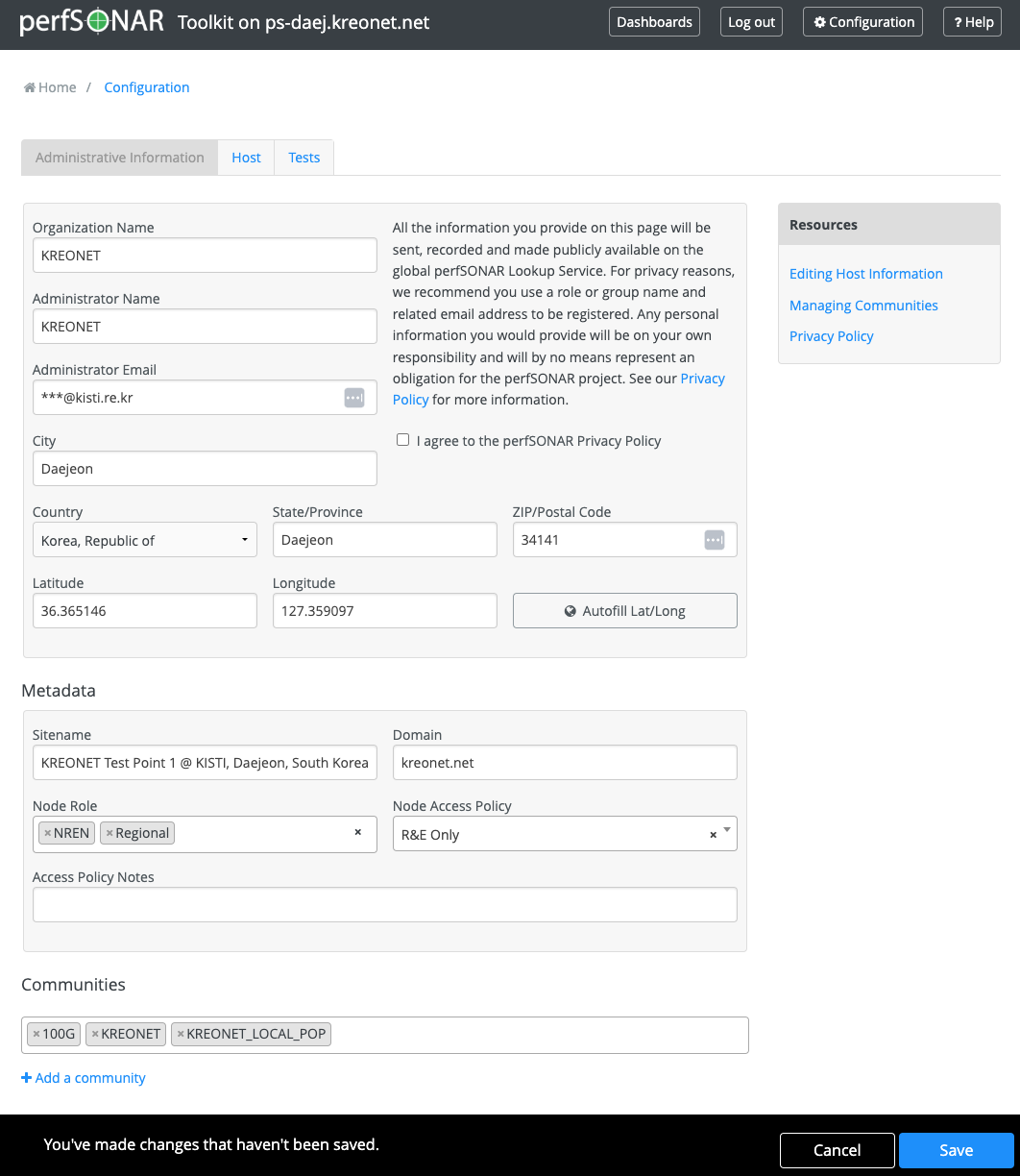
perfsonar-toolkit 를 설치한 경우, 웹 로 설정할 수 있습니다.
WebUI → Configuration 버튼 → 로그인 한 다음 페이지에서 정보를 수정합니다.
https://<your_perfsonar_ip>/toolkit/auth/admin/
(참고) 이 페이지에 접속을 위한 계정은 nptoolkit-configure.py 으로 생성합니다.
지도 정보 찾기
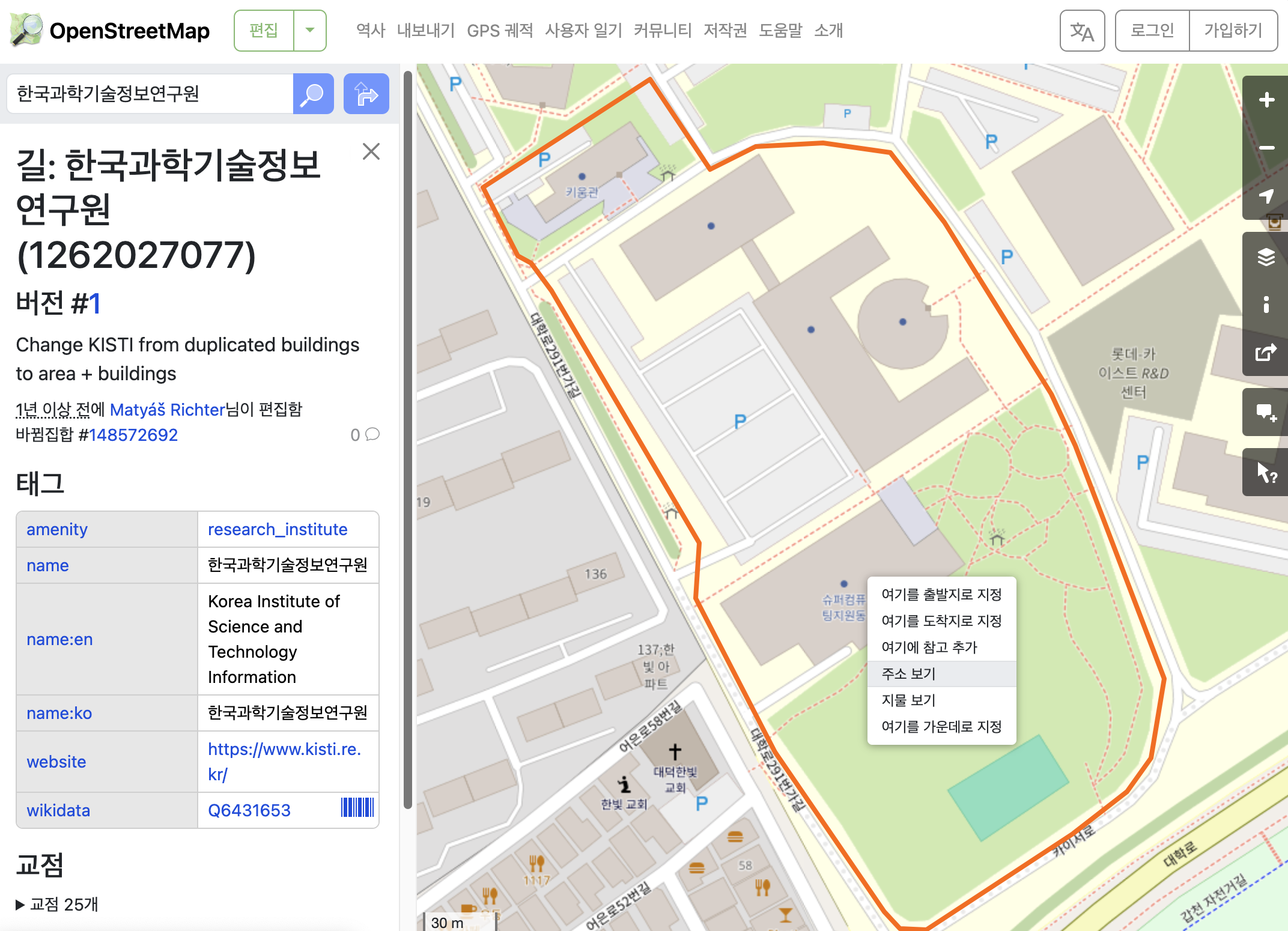
WebUI의 Autofill Lat/Long 가 부정확할 수 있습니다.
https://www.openstreetmap.org 에서 위치를 찾은 다음, 주소보기를 클릭하면 (위도, 경도)로 표시된 GPS 정보를 확인할 수 있습니다.
Lookup Service 정보 갱신 - CLI
설정파일을 수정하고 Lookup Service 를 재시작합니다.
vi /etc/perfsonar/lsregistrationdaemon.conf
systemctl restart perfsonar-lsregistrationdaemon
/etc/perfsonar/lsregistrationdaemon.conf
country  KR
region   Daejeon
city     Daejeon

site_name   KREONET Test Point 1 @ KISTI, Daejeon, South Korea
zip_code    34141
latitude    36.365146
longitude   127.359097

site_project   KREONET
site_project   KREONET_LOCAL_POP

site_project   100G

organization   KREONET
domain   kreonet.net

role   regional

access_policy   research-education

check_interval   3600
allow_internal_addresses   0
add_signature   0

role   nren
role   regional

<administrator>
    email  ***@kisti.re.kr
    name   KREONET
</administrator>

...
Lookup Service 비활성화
stats.perfsonar.net 에 노드의 정보가 게시되는 것을 바라지 않는 경우, Lookup Service 를 비활성화 합니다.
systemctl stop perfsonar-lsregistrationdaemon
systemctl disable perfsonar-lsregistrationdaemon