Extend disk size
Power off Target VM
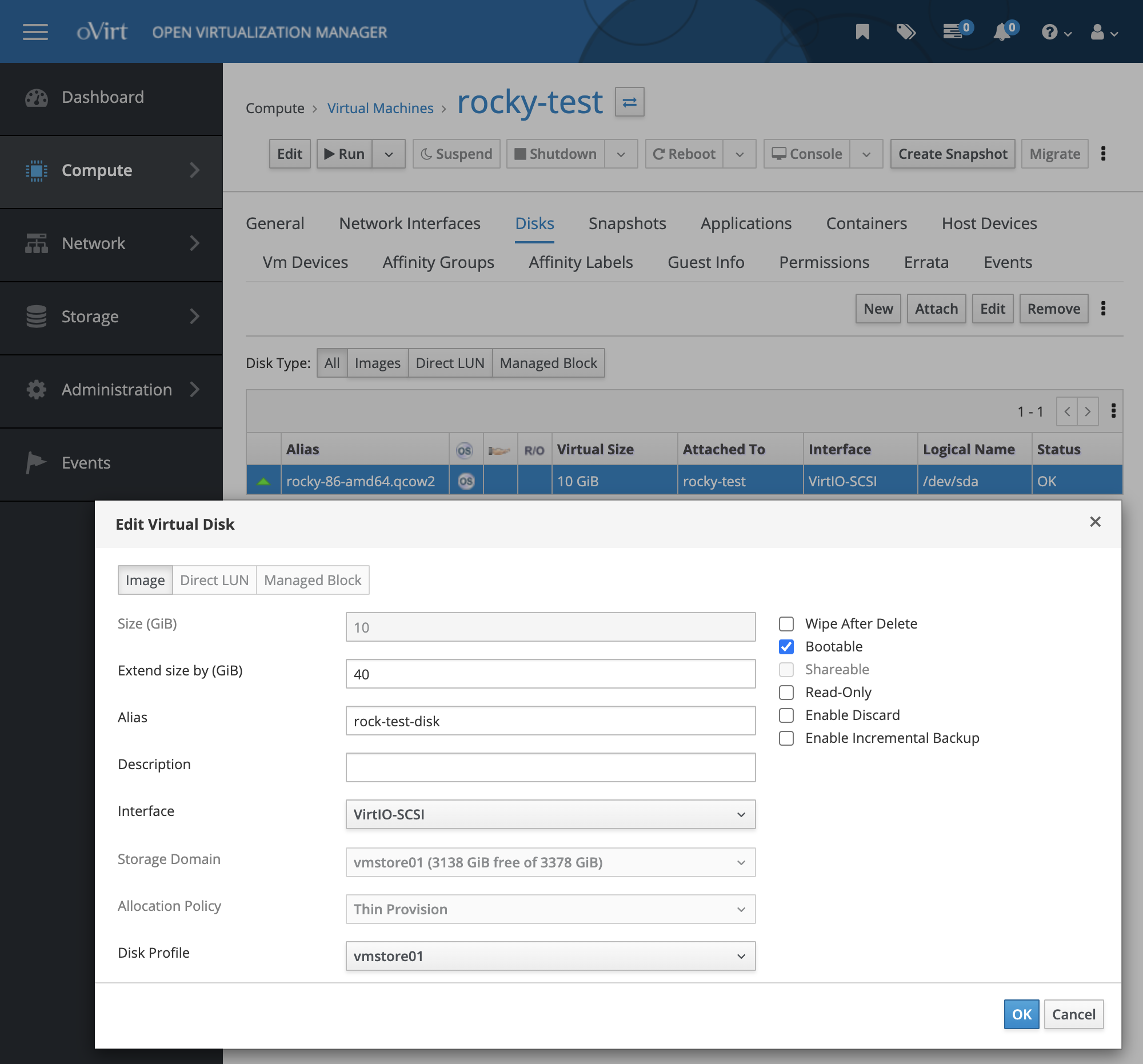
Admin Portal → Compute → Virtual Machines → Target VM → Disks → Edit → Set Extend size by GiB
Expand partition and filesystem
rocky-test:~ root# lsblk /dev/sda
NAME   MAJ:MIN RM  SIZE RO TYPE MOUNTPOINT
sda      8:0    0   50G  0 disk
└─sda1   8:1    0   10G  0 part /

rocky-test:~ root# df -h /dev/sda1
Filesystem      Size  Used Avail Use% Mounted on
/dev/sda1        10G  1.7G  8.4G  17% /

rocky-test:~ root# mount | grep /dev/sda1
/dev/sda1 on / type xfs (rw,relatime,seclabel,attr2,inode64,logbufs=8,logbsize=32k,noquota)

rocky-test:~ root# growpart /dev/sda 1
CHANGED: partition=1 start=2048 old: size=20969439 end=20971487 new: size=104855519 end=104857567

rocky-test:~ root# xfs_growfs -d /dev/sda1
meta-data=/dev/sda1              isize=512    agcount=6, agsize=512000 blks
         =                       sectsz=512   attr=2, projid32bit=1
         =                       crc=1        finobt=1, sparse=1, rmapbt=0
         =                       reflink=1    bigtime=0 inobtcount=0
data     =                       bsize=4096   blocks=2621179, imaxpct=25
         =                       sunit=0      swidth=0 blks
naming   =version 2              bsize=4096   ascii-ci=0, ftype=1
log      =internal log           bsize=4096   blocks=2560, version=2
         =                       sectsz=512   sunit=0 blks, lazy-count=1
realtime =none                   extsz=4096   blocks=0, rtextents=0
data blocks changed from 2621179 to 13106939

rocky-test:~ root# df -h /dev/sda1
Filesystem      Size  Used Avail Use% Mounted on
/dev/sda1        50G  2.0G   49G   4% /